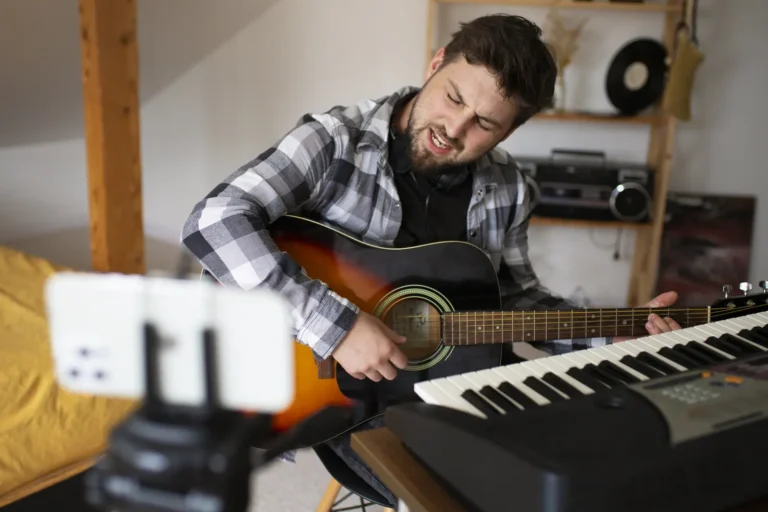
To make music on your phone, you need a music production app, a pair of headphones and an idea, even if it’s just a rhythm in your head. The path is always the same: pick the mood, build the beat, add bass and melody, arrange the sections and export. You don’t need to know music theory to get started.
Below are the 8 steps, in the order they happen. For each one, you’ll see what to do and the mistake that most often stops beginners.
What do you need before you start?
- A phone or tablet with enough free space for the app and your projects.
- Headphones, ideally wired, so you hear the details without delay.
- A music production app with loops, virtual instruments and export.
- Twenty uninterrupted minutes for your first session.
A microphone, an audio interface and a MIDI keyboard are optional. They help later, when you want to record vocals or play a real instrument.
Step by step: how to make music on your phone from scratch
Step 1: pick the mood of the song
Before you touch a single button, decide how you want the song to feel: upbeat, calm, sad or intense. That choice guides every other one. A good trick is to think of a reference song and write down its style.
Common mistake: testing sounds with no direction and spending the whole session scrolling through presets.
Step 2: start from a template or a ready-made style
Templates are sets of instruments already arranged for a genre. Instead of choosing drums, bass and guitar one by one, you open a whole band with one tap. That keeps your creativity flowing at the start.
Step 3: set the tempo (BPM)
BPM means beats per minute, and it sets the speed of the song. As a rough guide, slow songs sit below 90 BPM, and dance tracks usually go above 110 BPM. Adjust it until the beat matches the mood from step 1.
Step 4: build the beat
Drums are the foundation of almost every song. Build a simple drum loop, or import a beat you already have, and let it play. If you want variety, look for options like half time or a flipped beat, which change the groove without making things complicated.
Common mistake: cramming the beat with elements right away. Less is more at this stage.
Step 5: add bass and harmony
The bass connects the drums to the melody. Next, bring in chords on piano, acoustic guitar or synth. If you don’t know which chords to use, choose a scale or a ready-made style and let the app generate the progression.
Step 6: create the melody
The melody is the part people remember afterward. It can be a guitar riff, a piano arpeggio or your voice. A short melody repeated with small variations works better than a long one that’s hard to remember.
Step 7: arrange the sections
A simple song usually has an intro, verse, chorus and outro. Turn instruments on and off to set each section apart. For example, the verse might have only drums and bass, and the chorus brings in every instrument.
Common mistake: leaving everything playing the whole time. Without contrast, the song sounds like an endless loop.
Step 8: balance the volume and export
Listen to the whole song and balance the levels. No instrument should bury another. Then export to MP3 to share with friends, or to WAV to keep the best quality.
Practical example: a pop song in 20 minutes
| Time | What to do | Result |
|---|---|---|
| 0 to 3 min | Pick an upbeat mood and a pop template | A full band on screen |
| 3 to 6 min | Set the BPM and build the drum loop | Rhythm section playing |
| 6 to 11 min | Bring in bass and chords generated by style | Complete harmony |
| 11 to 15 min | Create a short riff and repeat it with variation | A catchy melody |
| 15 to 18 min | Separate verse and chorus by switching tracks on and off | A song with a beginning, middle and end |
| 18 to 20 min | Balance levels and export to MP3 | A file ready to send |
These times are just a reference. It’s normal to take longer the first time. What matters is getting to the end and hearing the whole song.
How to do this in SAS
In SAS (Simple Audio Studio), this whole path happens in Live Pads. The Rock & Pop, Folk & MPB (Brazilian pop), Electronic and Orchestra templates set up the band with one tap. In the groovebox, you build the drums with the app’s virtual instruments or with sounds you recorded or imported yourself. The melodic sequencer generates the riff or arpeggio from a style or a scale.
On top of that, the Live-Join feature waits for the next bar before bringing in the next loop. That way, nothing falls off the beat, even if you’ve never played before. When you want to edit note by note, the song moves on to the SAS DAW, with a piano roll and mixer.
What should you do after your first song?
Once your first song is finished, the next step is to repeat the process while changing one variable at a time. That way, you learn without getting lost.
- Switch genres: redo the same idea in another style and compare.
- Record your voice: sing the melody over the track with your phone’s microphone.
- Plug in an instrument: with a USB audio interface, electric and acoustic guitar go straight into the app.
Checklist for your first song
- Mood decided before you start
- BPM that matches the mood
- A simple beat playing
- Bass and harmony in place
- A short, repeatable melody
- Verse and chorus that sound different
- Levels balanced on headphones
- File exported and saved
Frequently asked questions about making music on your phone
Can I make music on my phone without playing an instrument?
Yes. With loops, templates and scale generators, you can build a song without playing anything, and the loops always come in on the beat. Knowing how to play helps, but it isn’t a requirement for your first song.
Can I use the music I made in my video?
Yes, when you made the music yourself. In SAS, the app doesn’t ship with finished audio: the sounds are created or imported by you. Even so, check the app’s terms of use and avoid clips of other people’s songs, which have their own rights.
Do I need an internet connection to make music on my phone?
It depends on the app. Some work offline for creating and only use the internet to save to the cloud. That helps when an idea hits somewhere with no signal.
How long does it take to learn music production?
Your first song can come together in a single session. Mastering mixing and arrangement takes months of practice. The secret is to finish short songs often, instead of getting stuck on just one.
Your first song starts today
Making music on your phone comes down to following the steps and finishing what you start. Want to try it with your own idea? Download SAS for free and build your first track in a few minutes.